
Update resident ledger when transferring a deposit to Whale (Entrata)
Below are instructions for how to remove the security deposit charge from a resident's ledger in Entrata and then add a charge to show those funds are being transferred to Whale. This should be done before sending the funds to Whale.
Before your first flip, we recommend creating a new Charge Codes for Whale called "Whale Deposit Charge". Whale Deposit Charge should be set as Code Type = Other Liability and is used in Part II, Step 2 below.

Part I: Remove deposit from resident's ledger
-
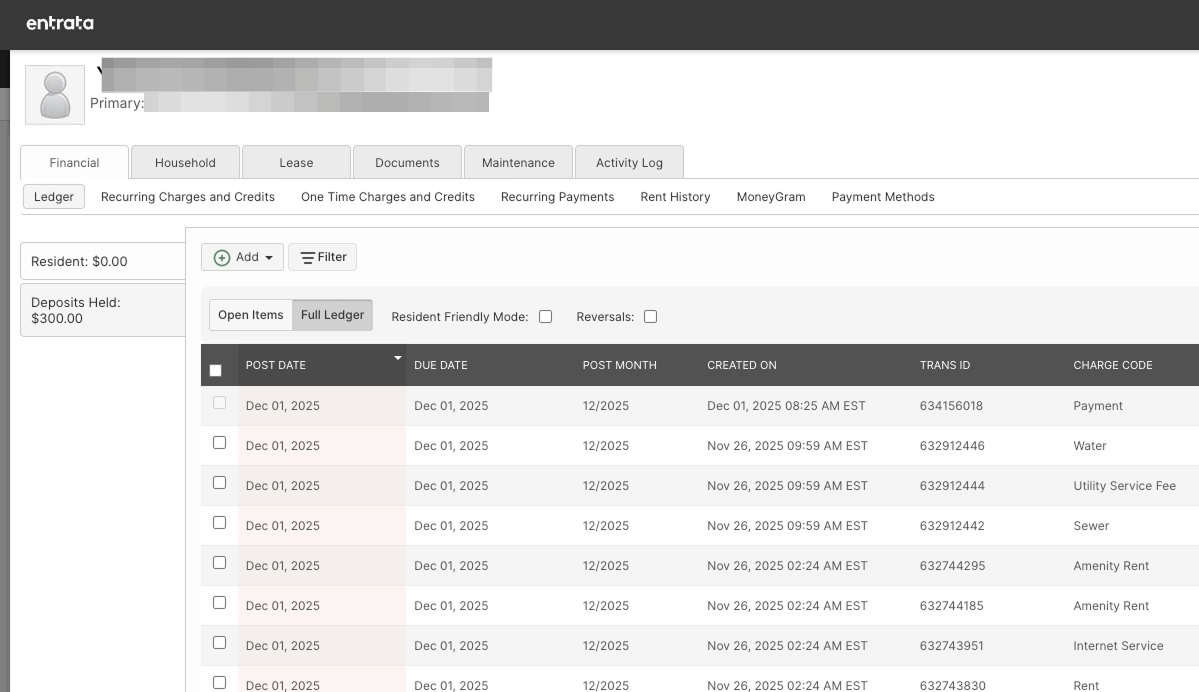
Navigate to the resident listed on the flip request in Entrata. Under Financial > Deposit Held.
-
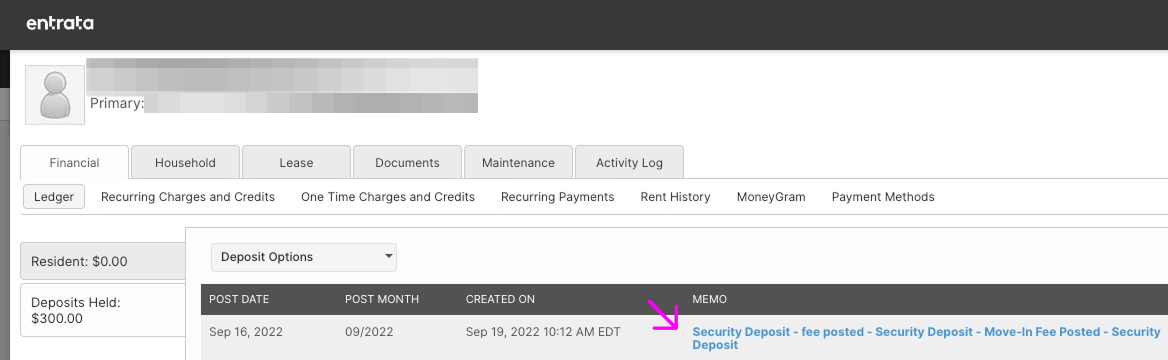
Find the security deposit transaction and click the blue hyperlink to open the transaction.
-
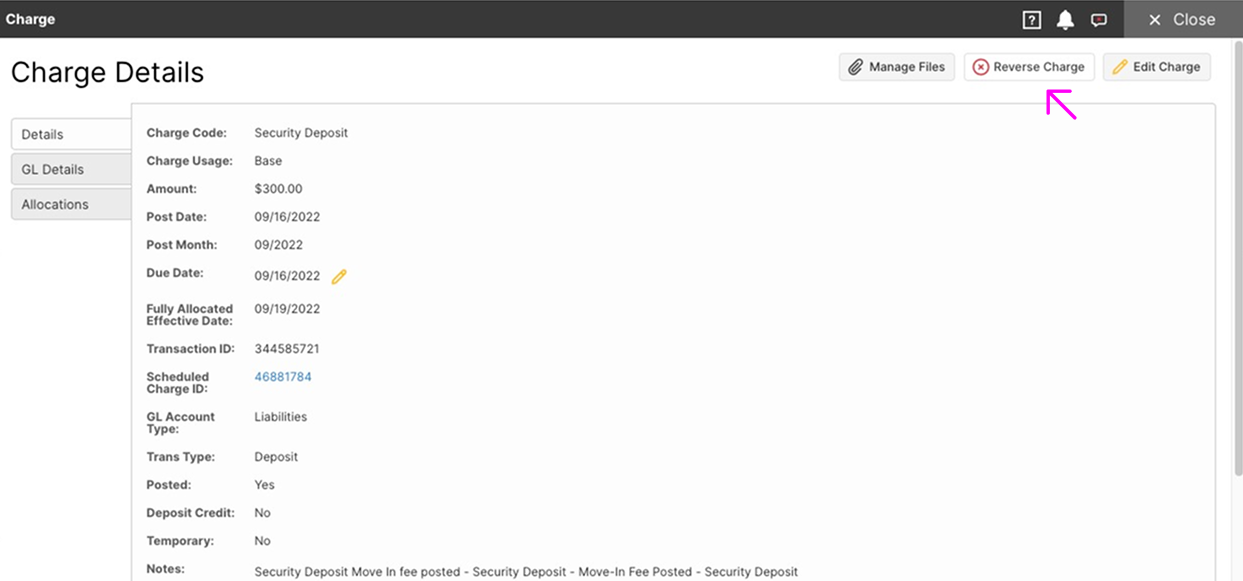
Click "Reverse Charge" to remove the charge for the security deposit as it will now be held in Whale.
-
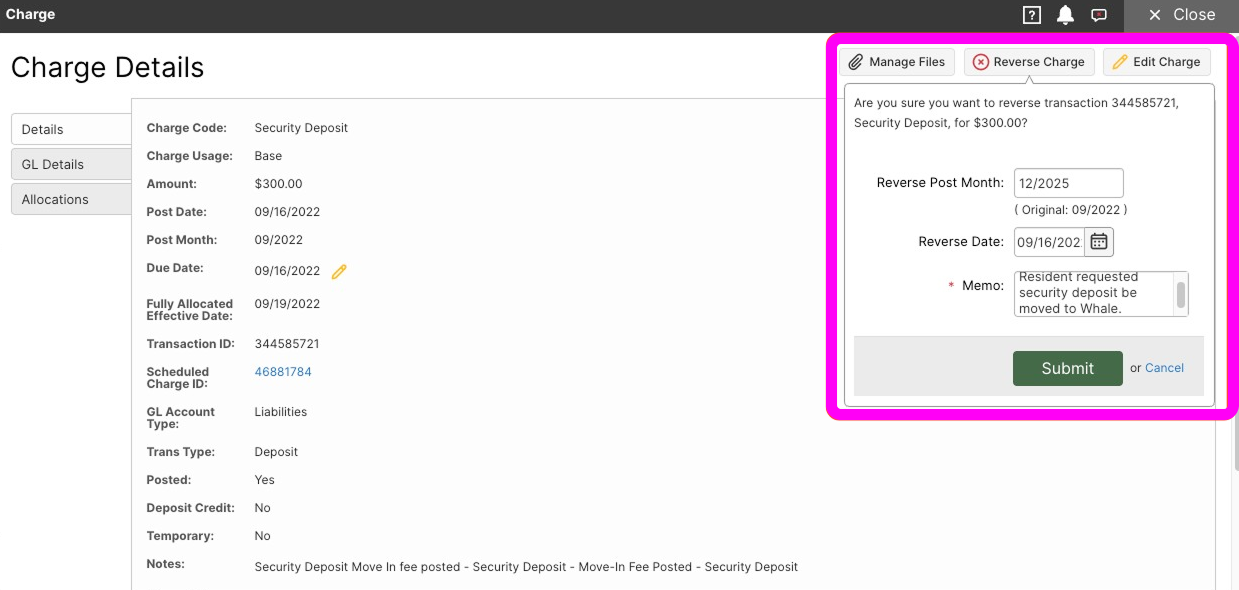
Under Memo enter that the Resident requested security deposit be moved to Whale with the Reference code listed on the Flip Transfer request. Click "Submit".
-
If the resident did not have a balance, it now shows a credit of the total amount of the security deposit. If the resident owed anything the credit may have been automatically applied to outstanding charges. Continue with the remaining steps and the balance will show again once the funds have been fully moved.
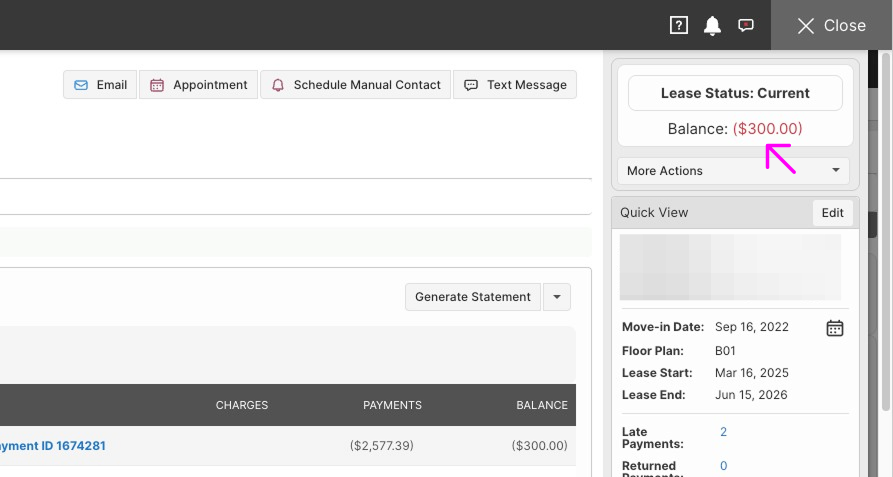
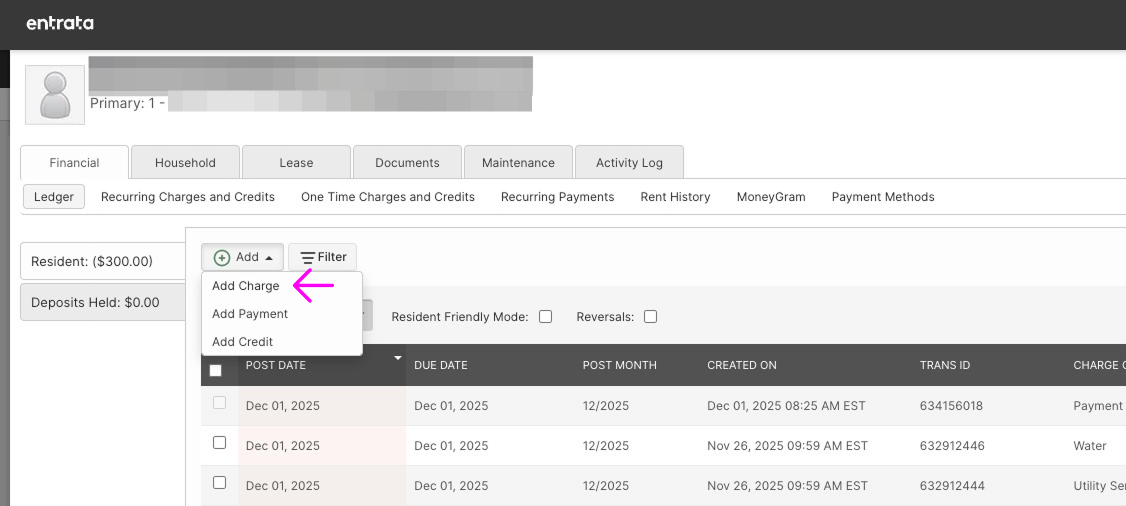
Part II: Add charge to resident's ledger
-
Click "Add Charge"
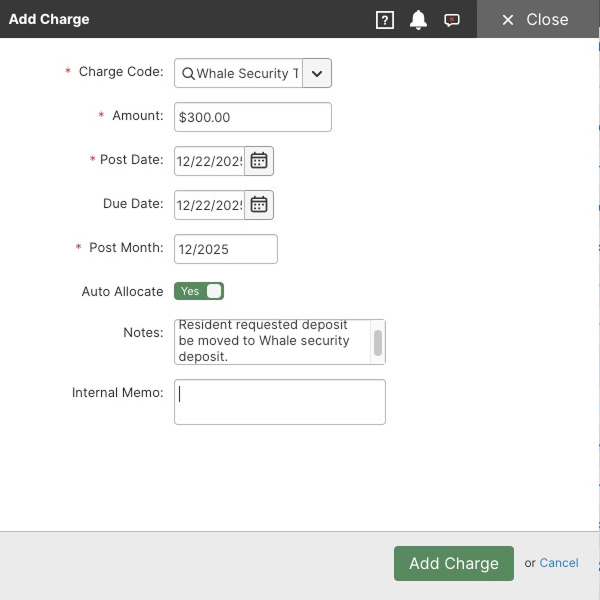
- Fill in the information as follows:
- Under Charge Code> Type Whale > Click "Whale Deposit Charge" from the dropdown options.
- Enter the Amount moving to Whale from Part I, Step #3.
- Under notes, enter "Resident requested deposit be moved to Whale security deposit.
- Add the reference code provided by Whale to the Internal Memo.
-
Click "Add Charge"
-
Deposit Held will now show as zero and the resident will no longer reflect a credit (unless they already had an outstanding credit or balance due).
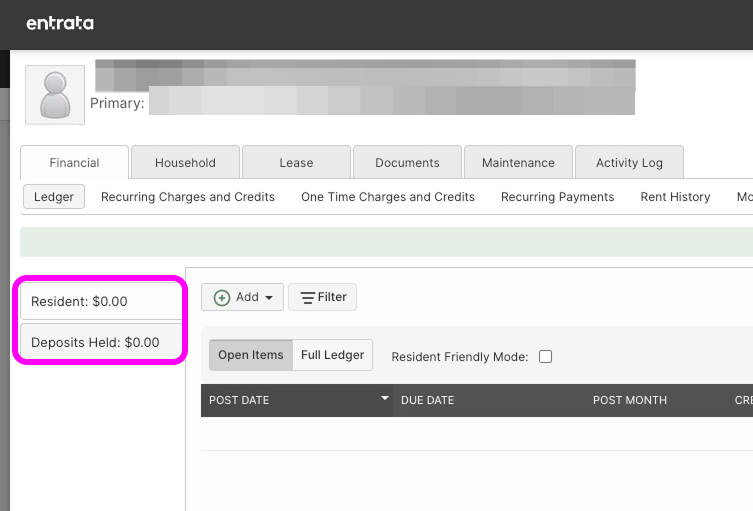
-
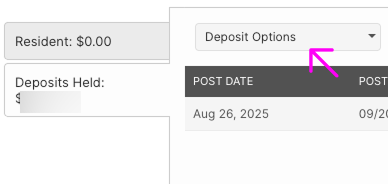
Click on Deposits Held, then from the dropdown menu under Deposit Options> Select 3rd Party Deposit.
-
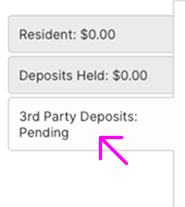
It will now show as pending a 3rd party deposit. Once the funds are sent to Whale, the account will show an Active Deposit. The resident will also be listed on the Security Deposit Audit under 3rd party deposits.
- Send the funds to Whale following the instructions in the flip request email.
